Understanding Your Resume Score
Learn what your resume match score means, how it's calculated, and what actions to take based on your results.
ReviseCV’s Analyze Resume tool gives you a match score showing how well your resume fits a specific job. But what do those numbers actually mean? And what should you do about them?
This guide breaks down every part of your score and shows you how to improve it.
How Scoring Works
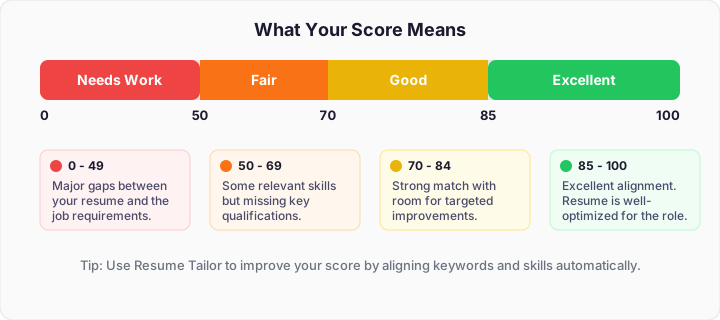
When you analyze your resume against a job description, ReviseCV evaluates four key areas:
- Keyword Match: Are the important terms from the job description present in your resume?
- Skills Alignment: Do your listed skills match what the job requires?
- Experience Relevance: Does your work history align with the role’s responsibilities?
- Format & Readability: Can ATS systems properly parse your resume?
Each area contributes to your overall match percentage.
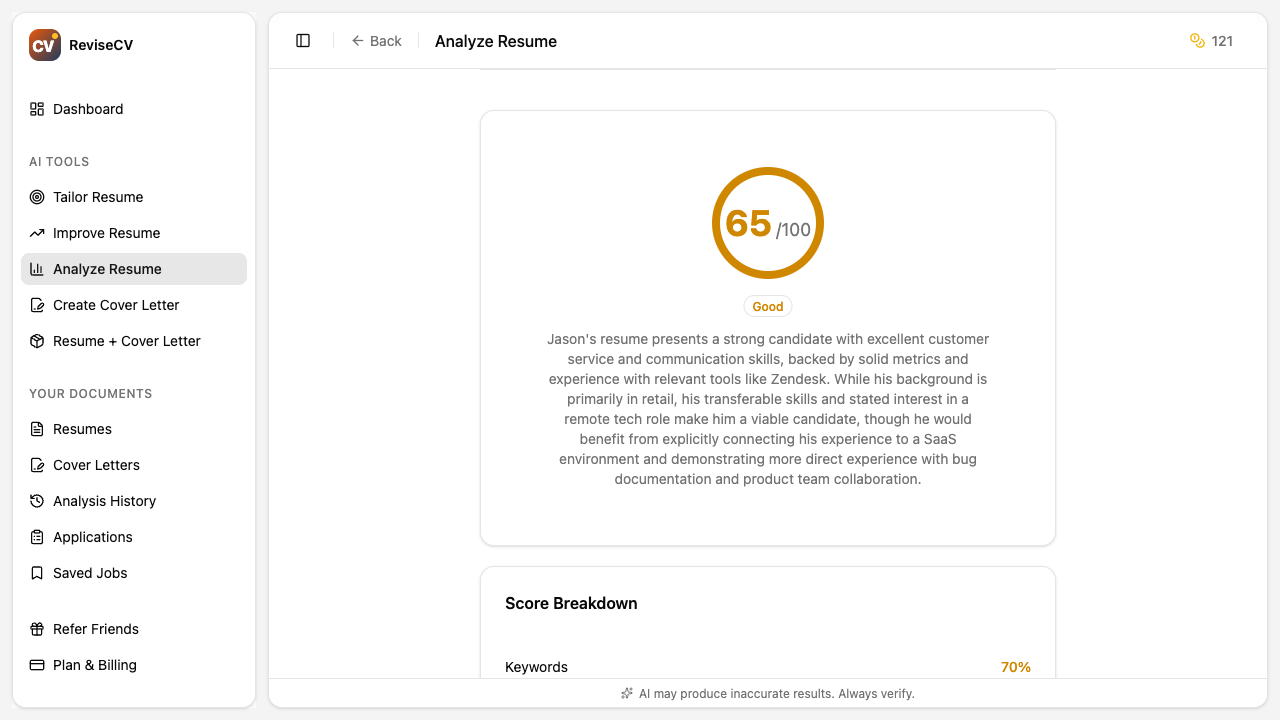
What Your Score Means
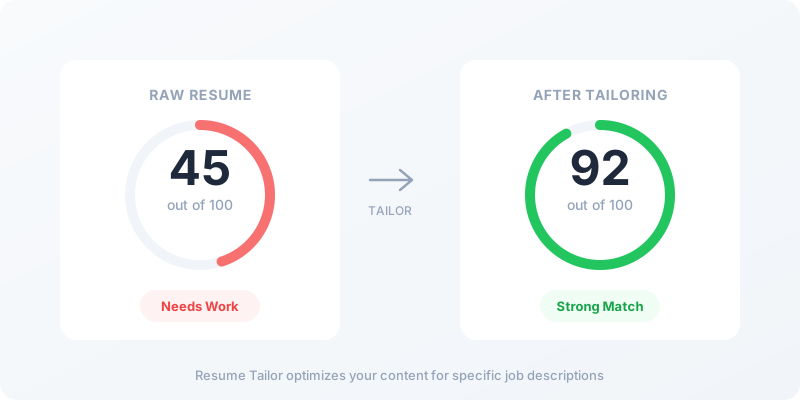
80-100%: Strong Match
Your resume is well-aligned with this job. You’re emphasizing the right experience and using relevant keywords. This is a strong application.
Action: Apply with confidence. Consider generating a tailored cover letter to complete your application.
60-79%: Good Foundation
You have relevant experience, but there’s room to better highlight it. Some keywords or skills might be missing or buried.
Action: Use Resume Tailor to optimize your resume for this specific job. A tailored version will likely score much higher.
40-59%: Partial Match
You meet some requirements but not others. This could mean missing keywords, less relevant experience, or skills gaps.
Action: Review the missing keywords and suggestions. If you genuinely have the experience, tailor your resume to surface it. If you’re missing core requirements, this might not be the right role.
Below 40%: Weak Match
Your current resume doesn’t align well with this job. This doesn’t mean you’re unqualified, just that your resume isn’t presenting the right information.
Action: Carefully review what’s missing. If you have the required experience, your resume needs significant tailoring. If you lack core requirements, consider other roles that better match your background.
Understanding the Breakdown
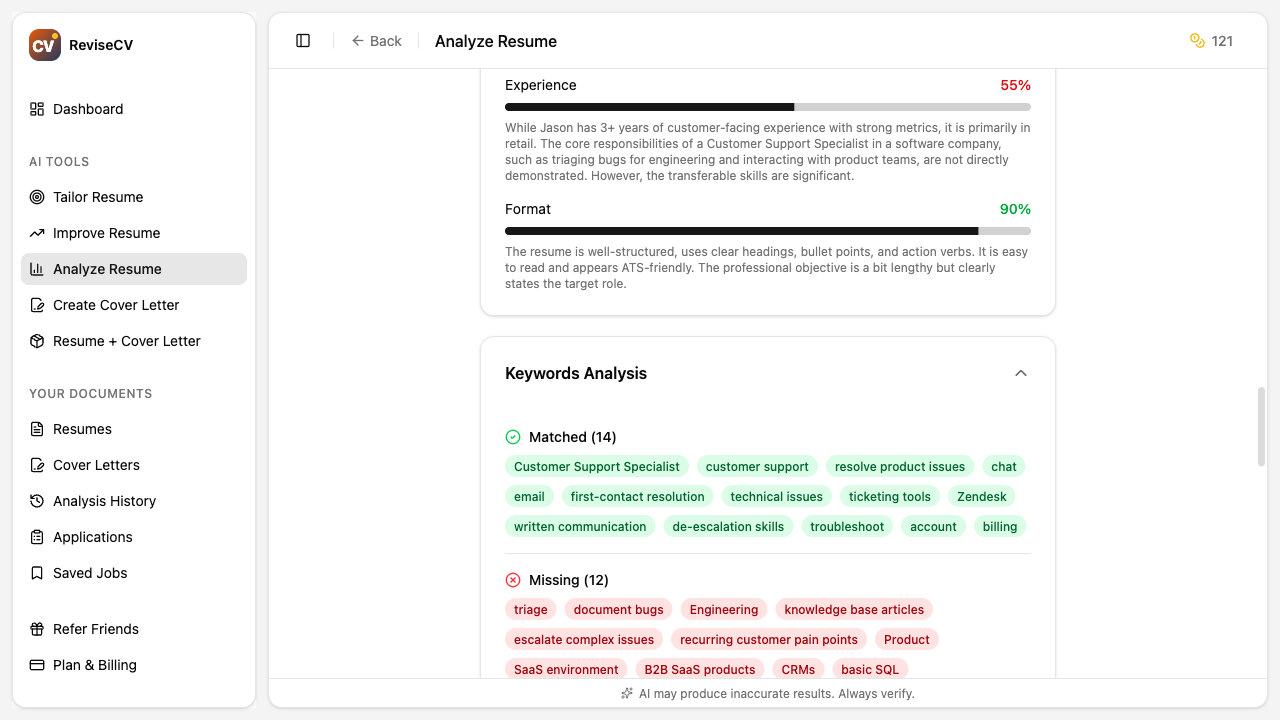
Keyword Match
This measures how many important terms from the job description appear in your resume.
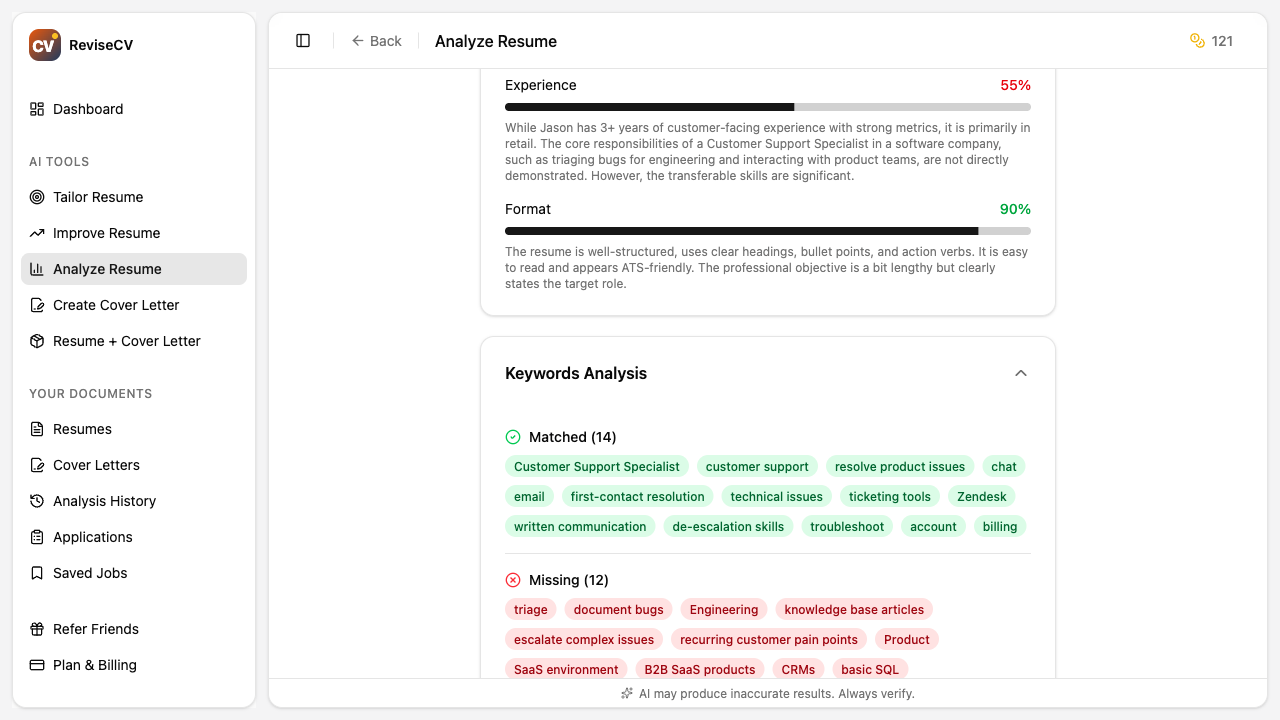
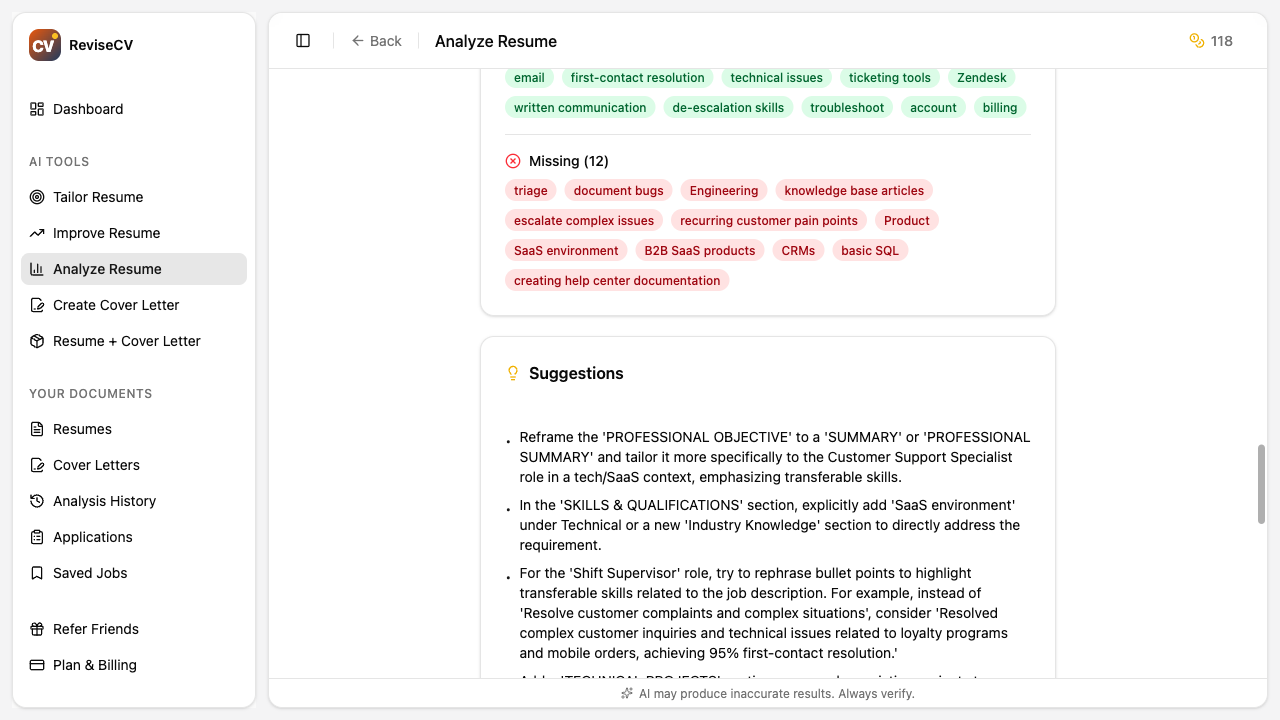
Matched Keywords: Terms that appear in both your resume and the job posting. These are working in your favor.
Missing Keywords: Terms in the job posting that don’t appear in your resume. These are opportunities for improvement.
What to do: Look at the missing keywords. Do you have that experience? If yes, make sure it’s mentioned in your resume. If you’ve used different terminology for the same skill, consider using the employer’s language.
Skills Alignment
This compares the skills mentioned in the job posting against skills in your resume.
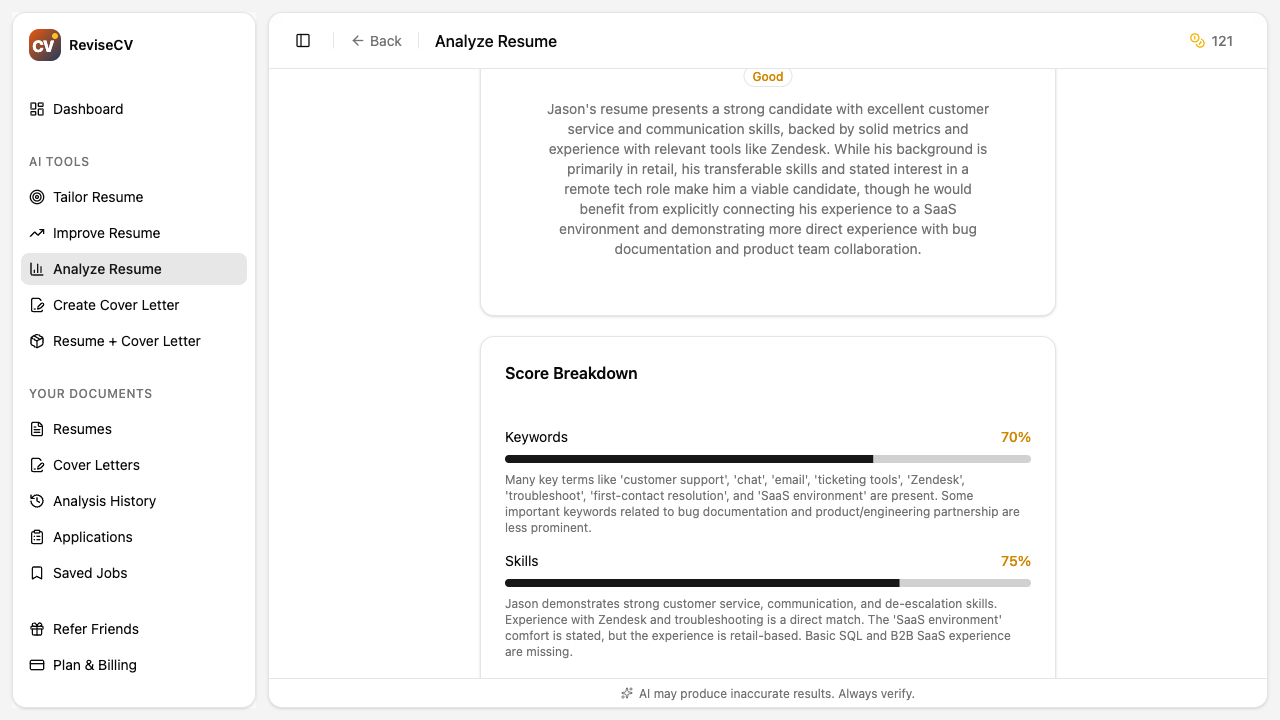
What to do: Add relevant skills you have but didn’t include. Don’t add skills you don’t actually have.
Experience Relevance
This evaluates whether your work history aligns with the job’s responsibilities.
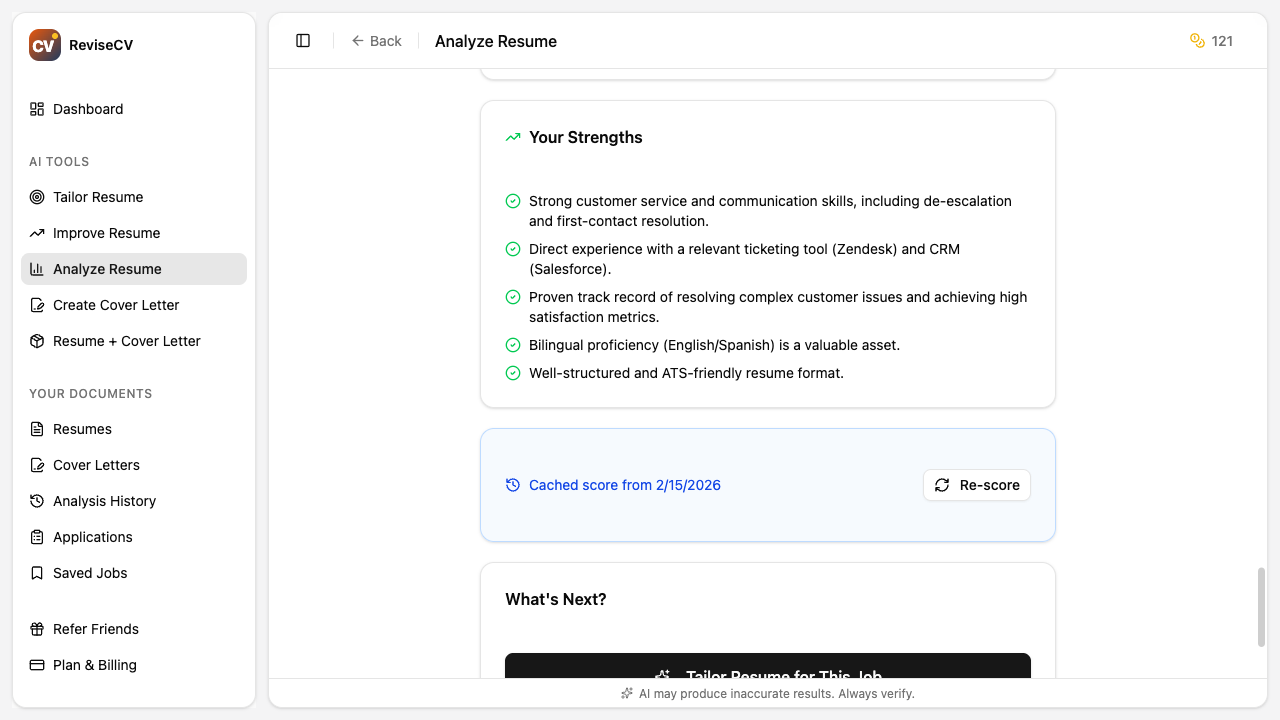
What to do: Review your bullet points. Are you describing your experience in terms that relate to this job’s responsibilities? Often the same experience can be framed differently for different roles.
Format & Readability
This checks whether ATS systems can properly parse your resume.
Common issues include:
- Complex layouts that confuse parsers
- Graphics or images that can’t be read
- Unusual section headers
- Missing standard sections (contact info, work history, etc.)
What to do: If your format score is low, consider using one of ReviseCV’s ATS-friendly templates.
Using Your Score
Before Applying
Run the analysis to see where you stand. If your score is below 70%, use Resume Tailor before submitting your application.
Comparing Jobs
Analyze multiple job postings to see which ones match your background best. Higher scores suggest better fit and higher likelihood of getting past initial screening.
Tracking Improvement
After tailoring your resume, run the analysis again. Your score should improve significantly. This shows you how much better positioned you are for the role.
Suggestions and Strengths
Beyond the score, your analysis includes:
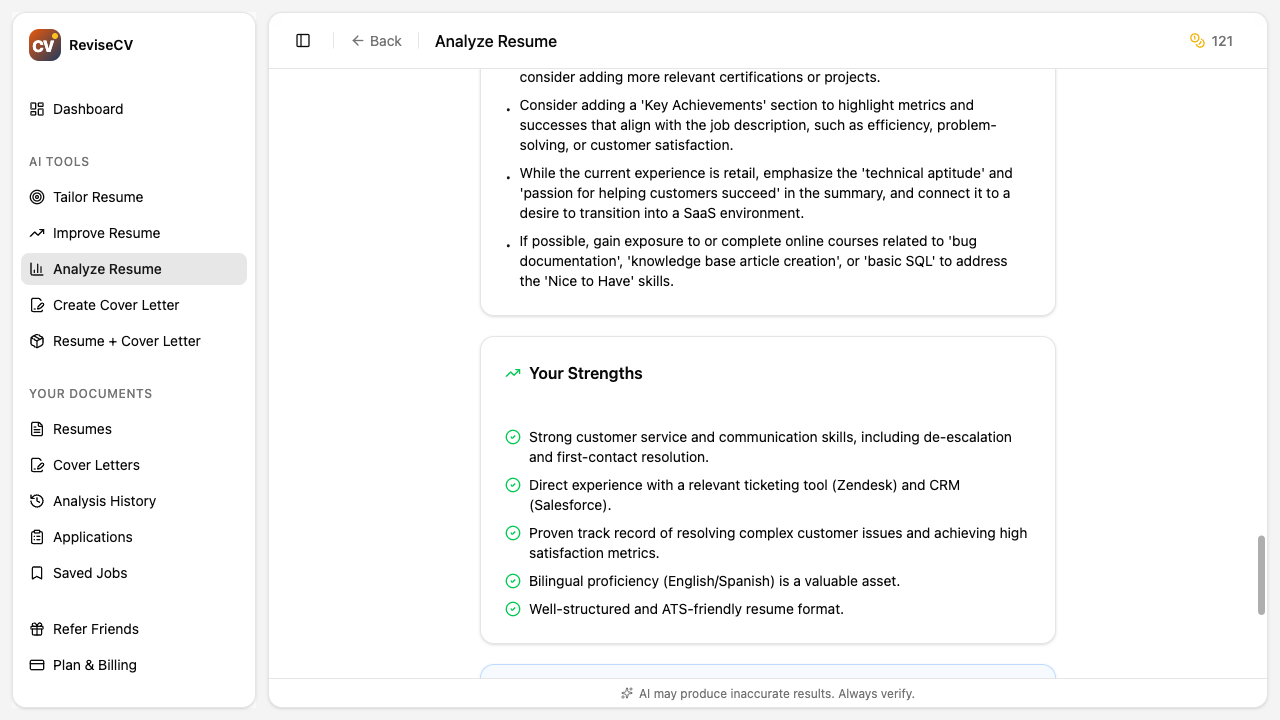
Strengths
What your resume does well for this role. These are competitive advantages to lean into.
Suggestions
Specific recommendations for improving your match. These are actionable steps you can take.
What Scores Don’t Tell You
Your score measures how well your resume matches a job description. It doesn’t measure:
- Your actual ability to do the job
- Whether you’d enjoy the role
- Cultural fit with the company
- How you’d perform in an interview
A high score means your resume is optimized for this specific application. It doesn’t guarantee an interview, but it significantly improves your chances of getting past automated screening.
Next Steps
Now that you understand your score:
- How to Use Resume Tailor: Turn that score into action
- Tailor vs Improver: Choose the right tool for your situation
- How to Create a Tailored Cover Letter: Complete your application
Ready to see your score? Analyze your resume now.